What Spa/Salon Manager does
One program runs your front desk, your back office and your online booking. Here are its salon software features, grouped the way you’d use it during the day.
The front desk
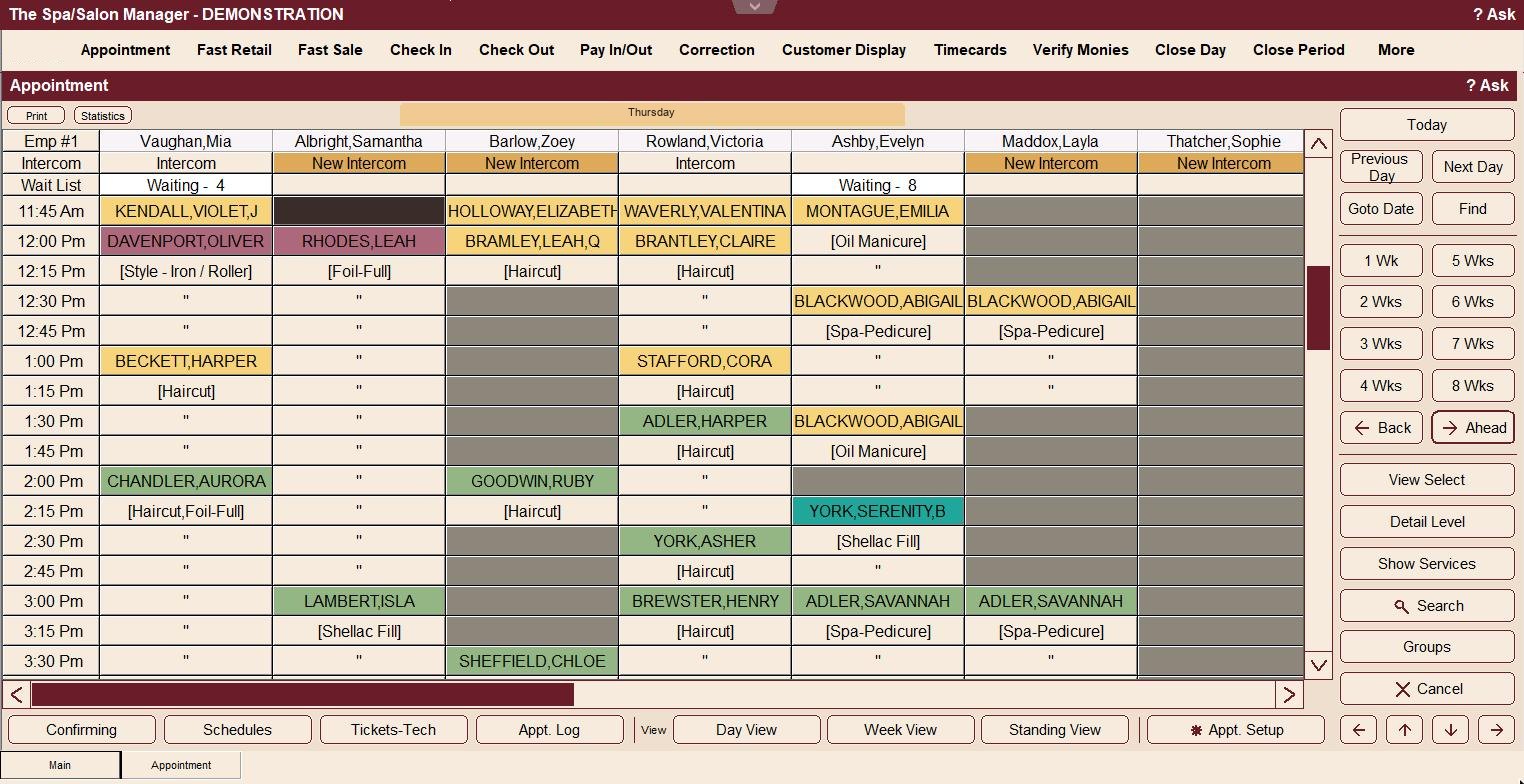
The appointment book, check in and checkout all work from the same information. A booked service shows up on the ticket without anyone typing it again.
- The book shows who’s confirmed, checked in and checked out by color
- Wait list, standing appointments and booking styles for services with processing time
- Check In lists who’s due next, with their stylist and service
- Check Out lists everyone in the salon, so you can find a ticket by stylist
- Services and retail on one ticket, with discount codes, gift certificates and family checkout
- Run cards right from checkout, tips included, and booth renters’ charges can go to their own accounts
- Pick a look in Theme Setup, or match your own website’s colors
Online booking and staff phones
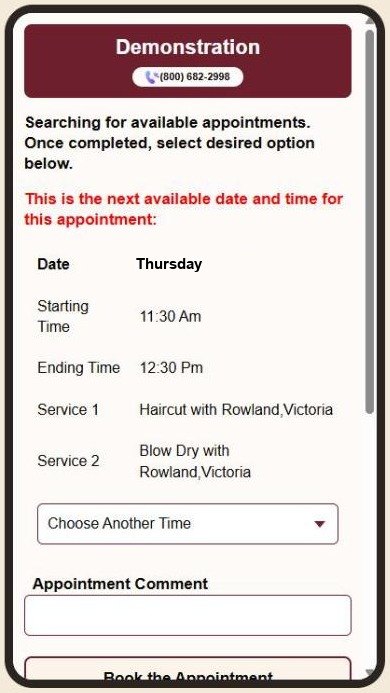
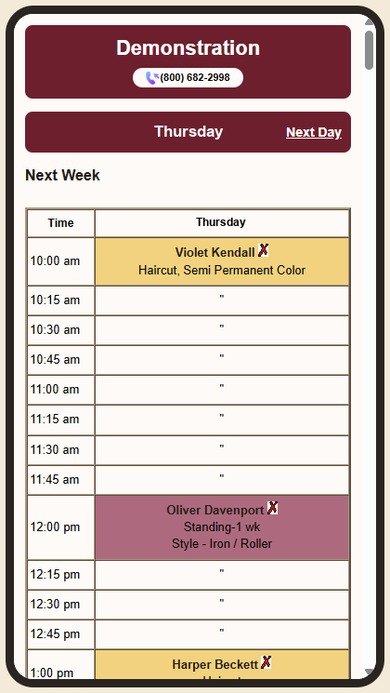
Clients book from their phone at any hour, and your staff see their own schedule on theirs. Neither one uses a front desk station.
- Clients pick their services and a stylist, or take the next opening with anyone
- You decide which services can be booked online
- Require credit card information from new clients and set minimum service amounts if you want
- Booking emails carry a calendar file, so the visit lands on the client’s phone calendar
- Stylists see their day, book their clients and check their sales from home
- Each stylist can get their first appointment time by email or text
Client history and technical cards
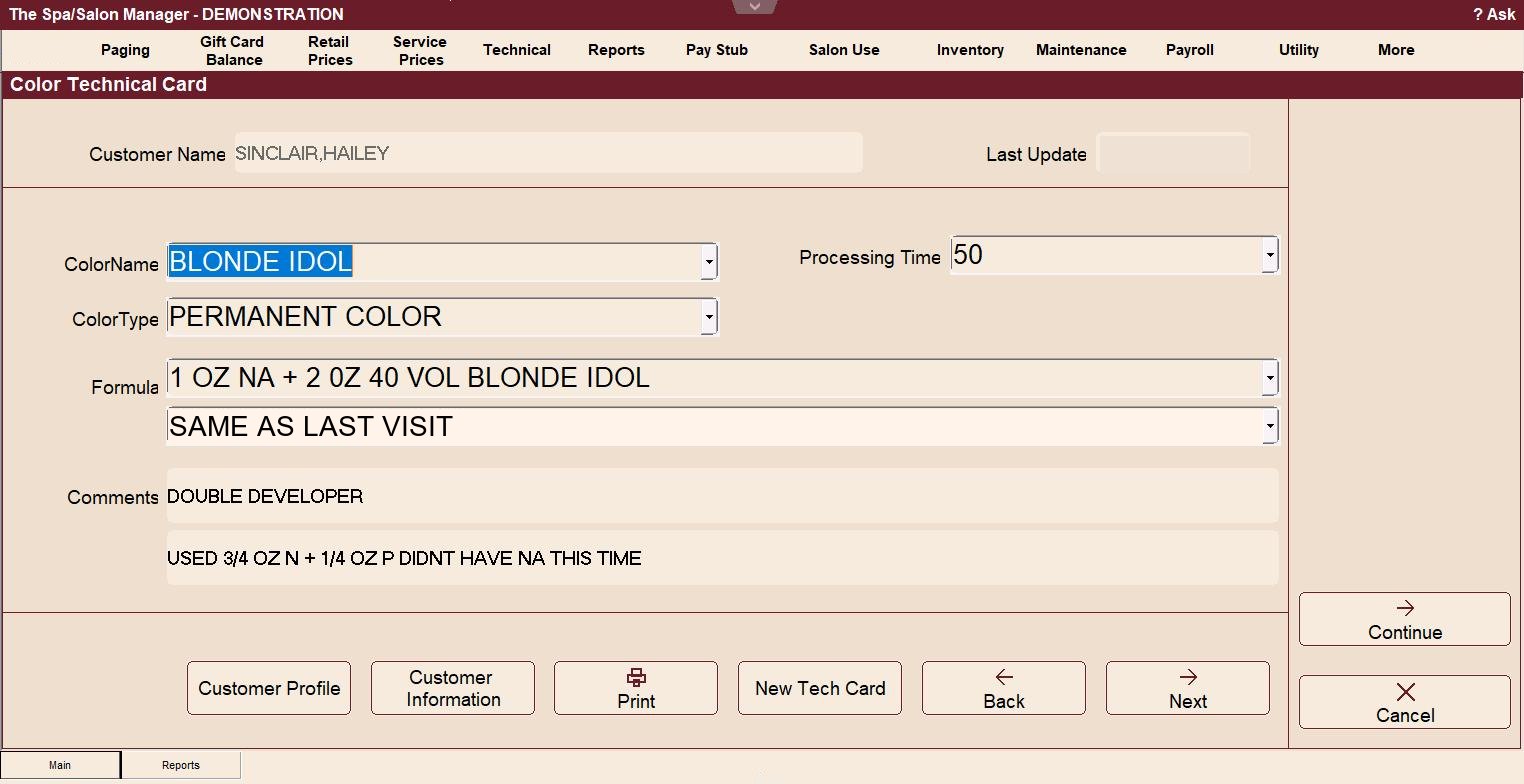
Every visit, product and price is saved on the client’s record. Technical cards keep what your stylists need to know next time.
- 14 technical card types, from hair, color, perm and relaxer to waxing and massage, two of them yours to name
- Color formulas and notes print on the work ticket
- Service and retail history, visit counts and lifetime spending for every client
- Loyalty program and memberships
- Barcoded gift cards with no per-card fee, and printable gift certificates sold online
Texting, email and flyers
Reminders, birthday notes and follow-ups go out on their own. When you want to reach a group, you pick exactly who gets it.
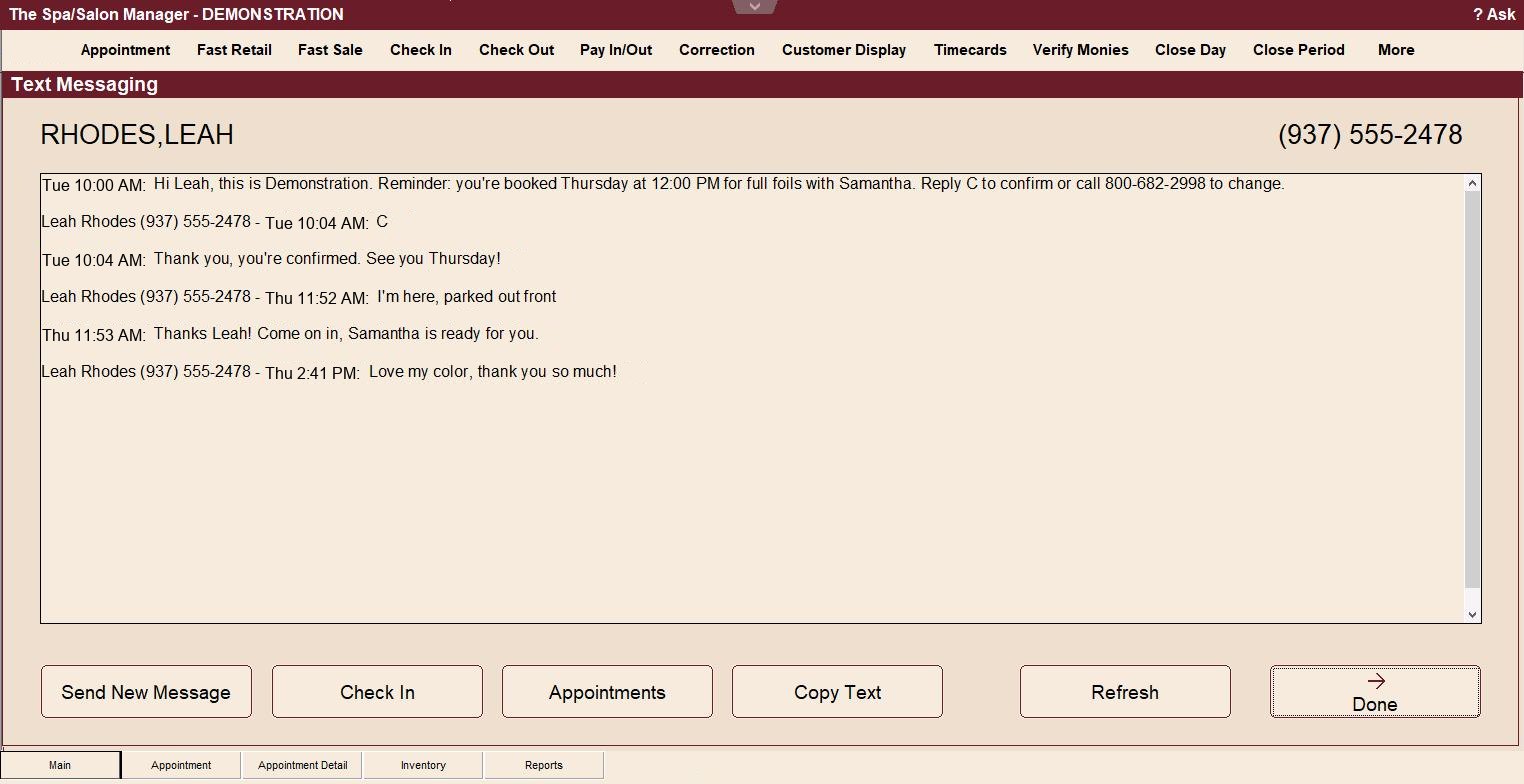
- Text reminders, and clients can text you back or text when they arrive
- Automatic emails for new clients, reminders, birthdays and follow-up surveys
- Mailing and email lists by service, stylist, zip code, last visit or referral
- Lost customer and top customer lists
- Create a Flyer turns a one-line special into a flyer in your salon’s colors
Texting is an add-on. Create a Flyer comes with the Full Salon Management plans.
See Create a Flyer on the tour →Step 1: Gross pay
Step 2: Net payroll (optional)
Staff, time clock and payroll
Payroll starts from the sales and time cards the front desk already recorded, so most of the work is done before you open it.
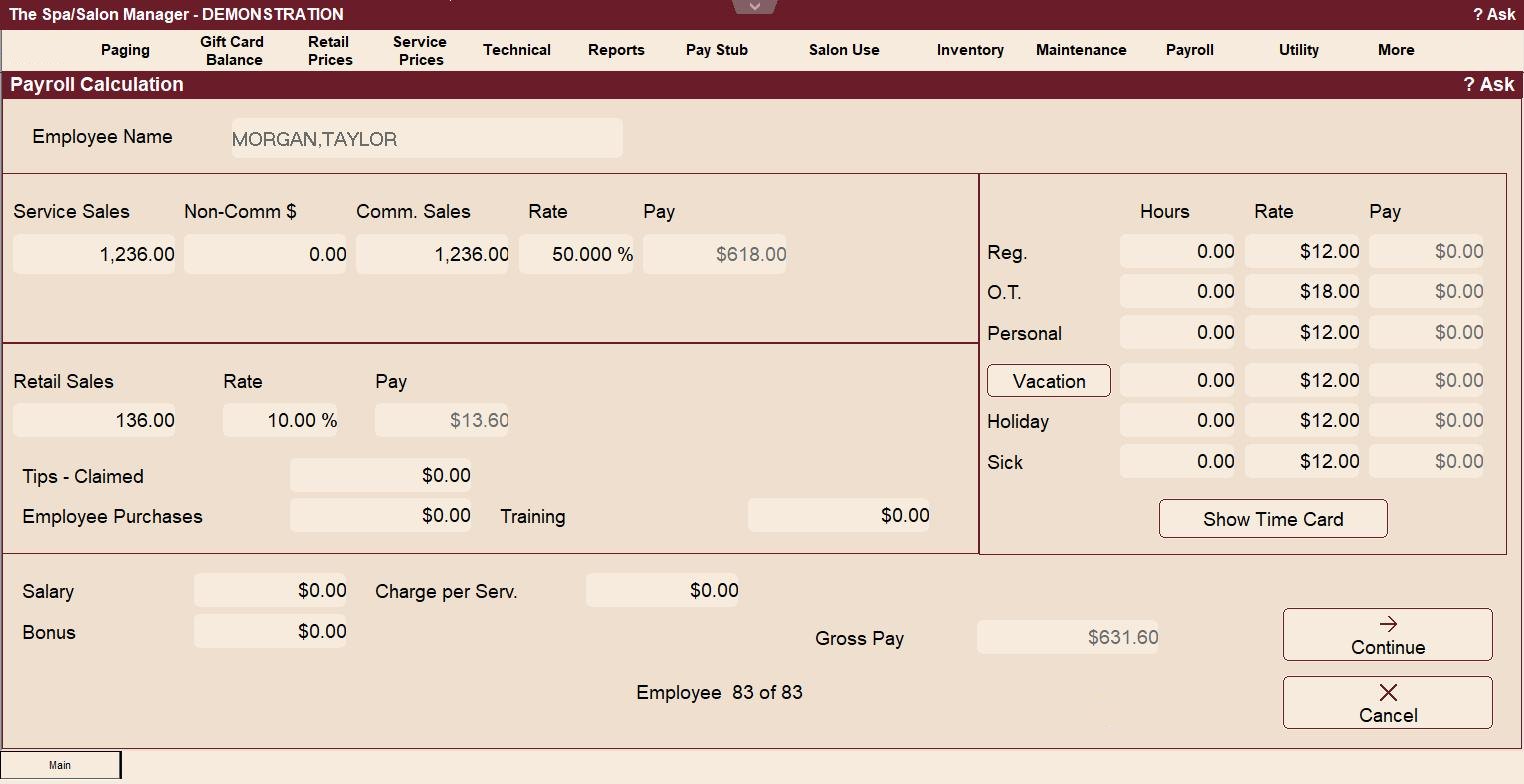
Step 1: Gross pay. Service and retail sales, each person’s commission rates, hourly time, tips and bonuses add up to their gross pay. Hand it to your accountant or payroll service, or keep going.
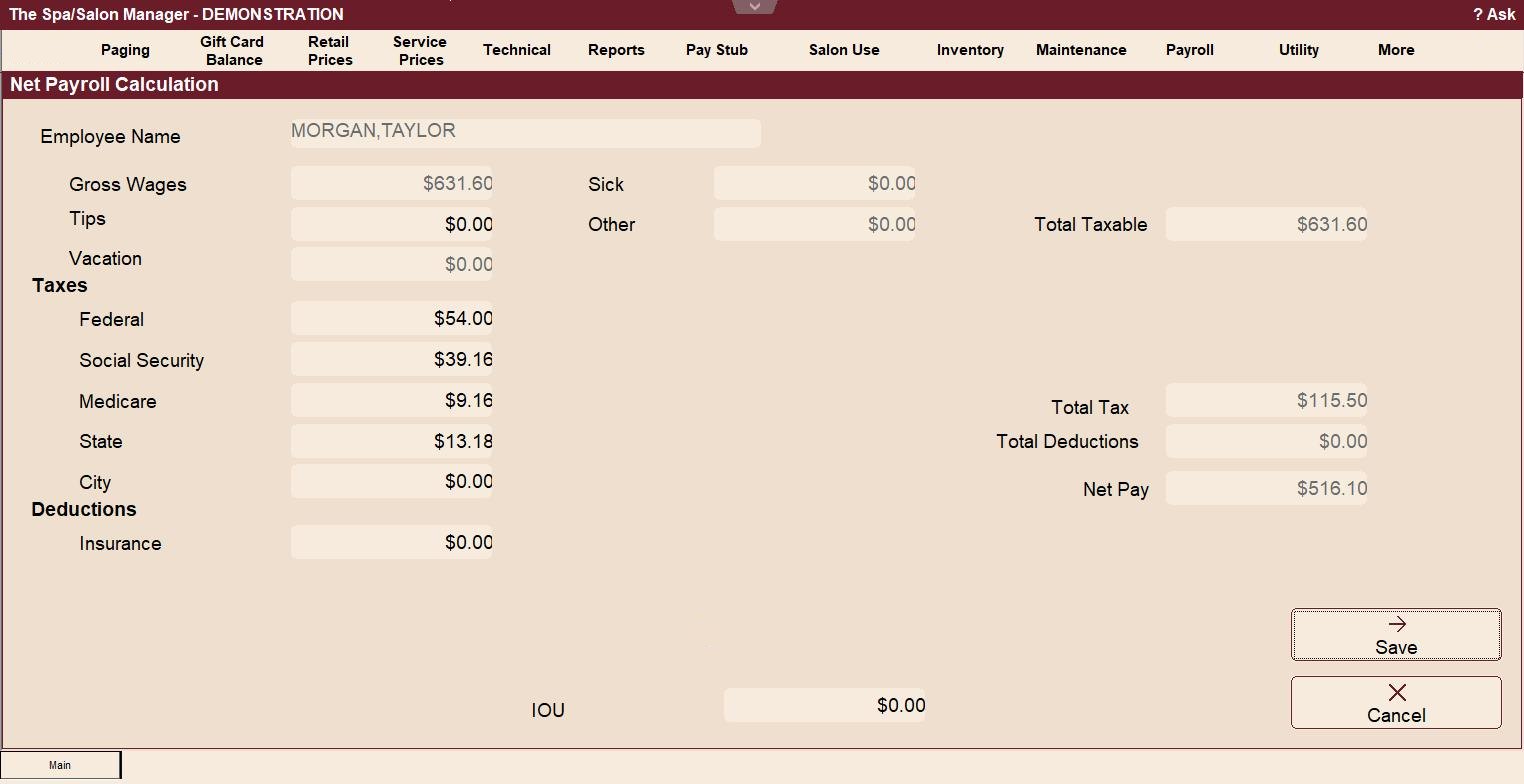
Step 2: Net payroll (optional). Spa/Salon Manager takes care of payroll taxes (federal, Social Security, Medicare, state and city) and deductions. It can print checks or create a direct deposit file for the bank. If you like doing things yourself, you skip what a payroll service charges every pay period, and that adds up fast.
- Staff clock in and out, lunches included, and get a reminder when they forget
- Commission, hourly, salary or a mix, set for each employee
- W-2s, W-3s, 1099s and the 941 worksheet at year end
- Payroll and each day’s sales can post to QuickBooks
- Retention and productivity reports for each stylist
Inventory
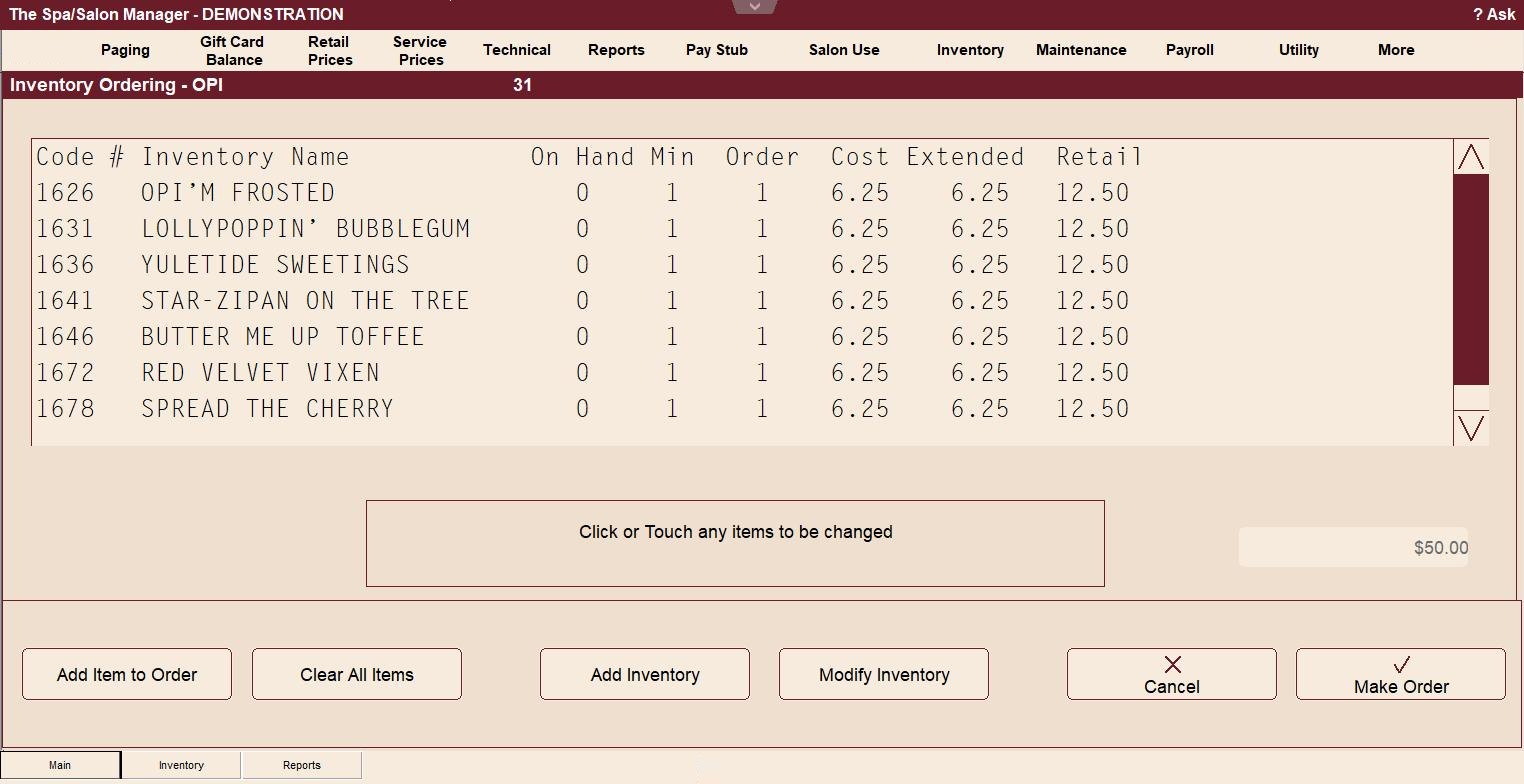
Retail and back bar products come off the count as they’re sold or used. When it’s time to order, the order is already built.
- Set reorder levels for each product, and create orders
- A vendor list with contact information and order history
- Product and shelf labels, including bar codes
- Physical count, shortage and variance reports
- Salon Use keeps track of the back bar product your stylists use
Reports and closing the day
About 100 reports, grouped for the receptionist, the manager and the owner.
- Employee sales, daily sheets and register amounts for the front desk
- Repeat analysis, retention and staffing reports for managers
- Date range reports, business review and What If for owners
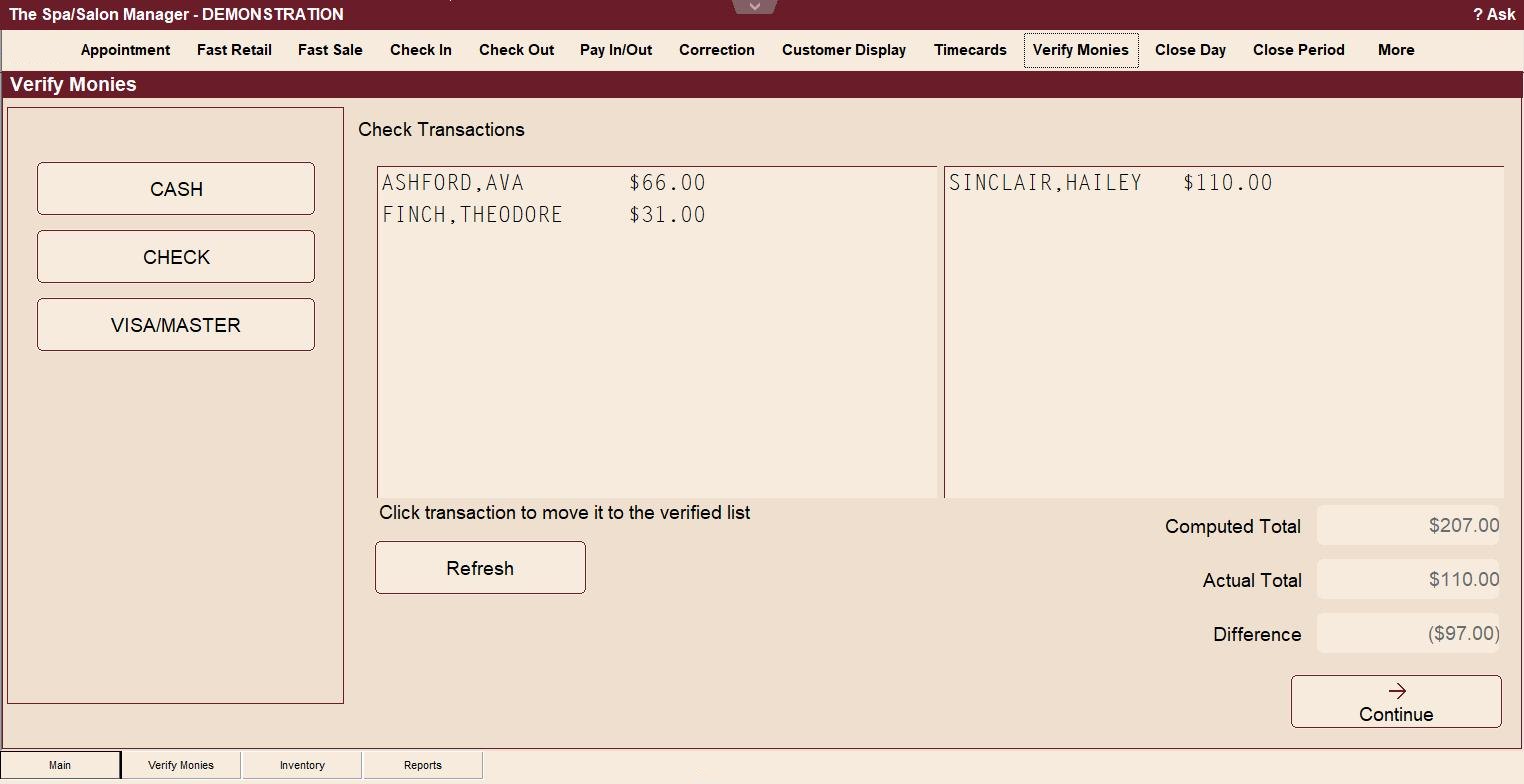
- Use Verify Monies to keep up with balancing your cash drawer the entire day, saving time at the end of the day
- Cash Helper counts the drawer, and the totals carry into Close Day
Help when you need it
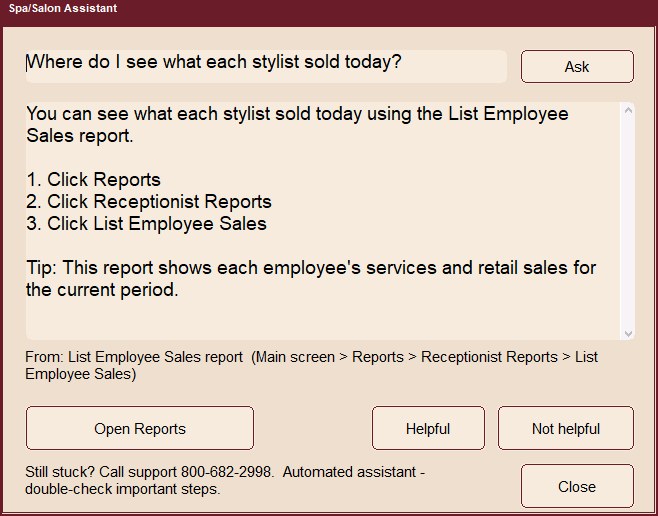
Type a question the way you’d ask a coworker, and Ask Spa/Salon answers with the steps and a button to the right screen. When you’d rather talk, call us.
- Ask Spa/Salon comes with every plan
- Phone support is free for as long as you’re a customer
- We look at your screen with you and fix it while you’re on the phone
- We set up your services, staff and appointment book with you before you start
- Your data is backed up automatically
See it with your own salon
Try it free for 30 days. We’ll set it up with your services and staff.
Start your free trial See pricing Book a live demoPrefer to talk it through? Call 800-682-2998.