A day at the front desk with Spa/Salon Manager
Here’s what your front desk sees, from the first client in the morning to closing out at night.
Screens shown from our demonstration salon with sample clients.
The whole program in under a minute and a half. No sound needed.
Your whole day at a glance
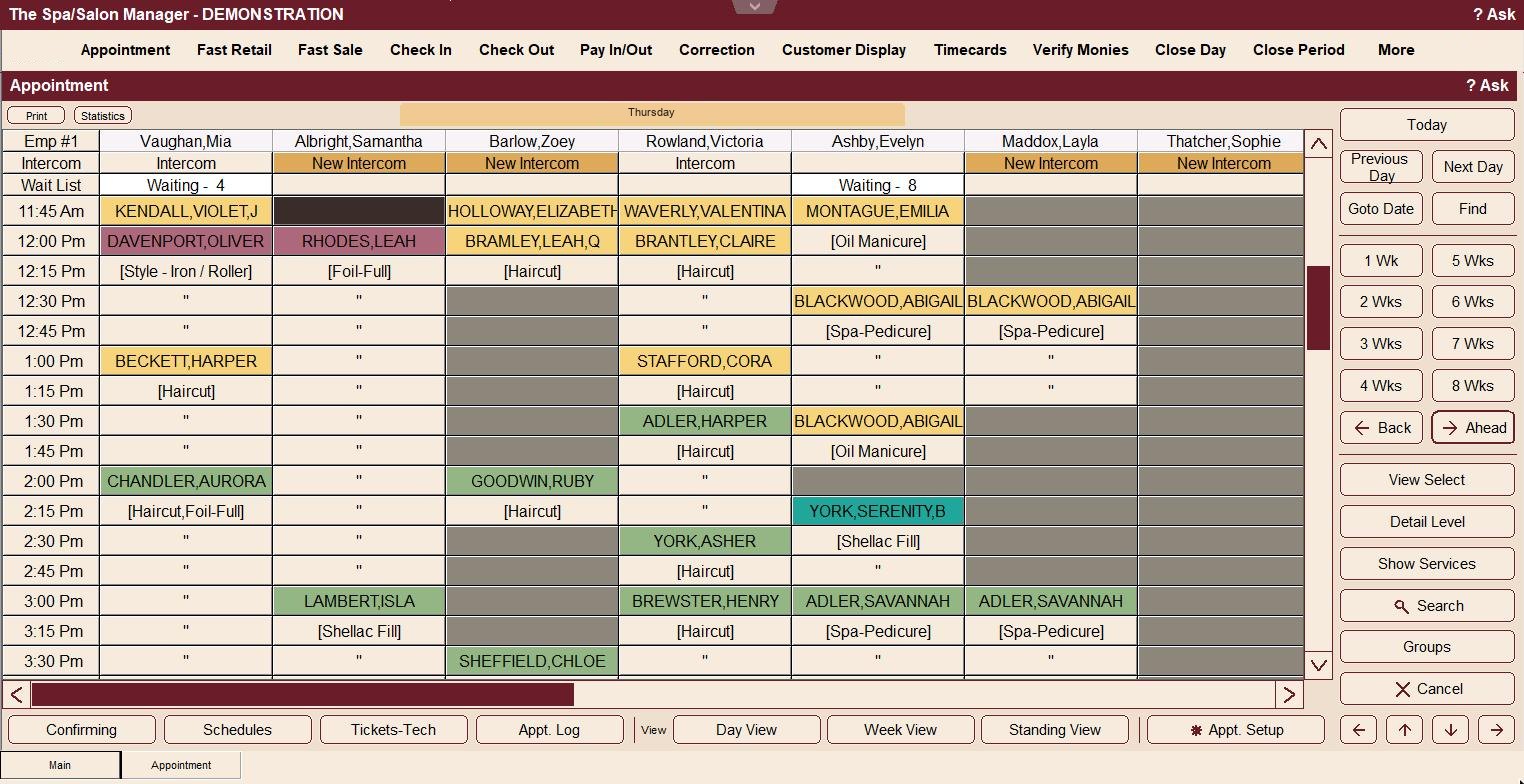
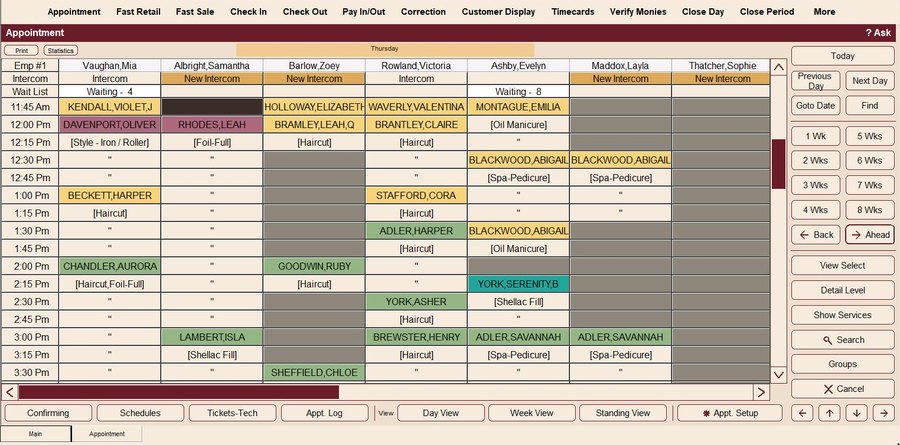
Every stylist side by side, with colors that show where each client is in their visit. Your front desk always knows who’s next.
- Book, move and rebook with a click
- See who’s working and who’s off at a glance
- Wait list and intercom messages right on the book
Greet every client by name
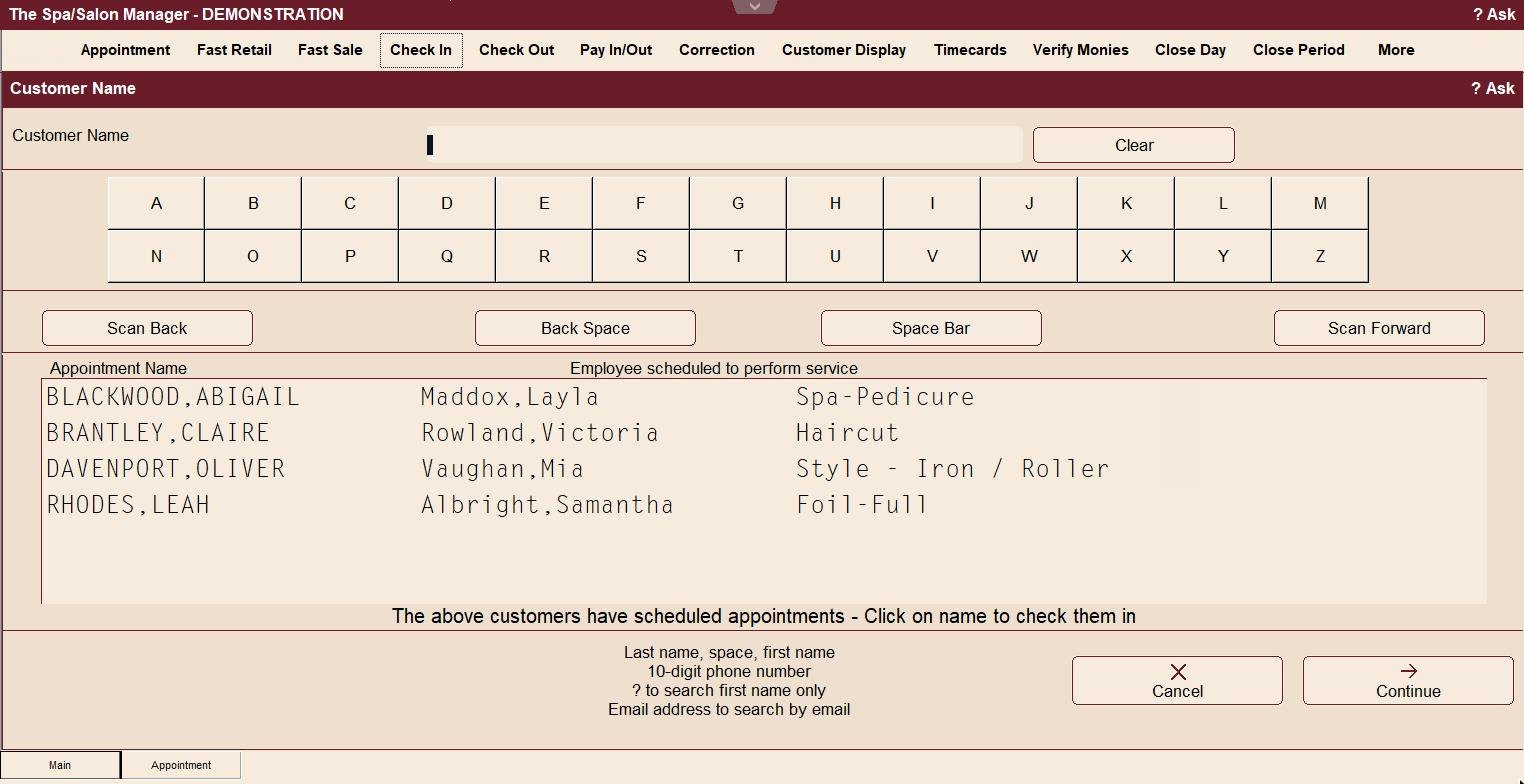
Click Check In and Spa/Salon Manager lists the clients due in next, with the stylist and service beside each one. Your front desk can welcome them by name before they reach the counter.
- One click checks a client in
- Look clients up by name, phone number or email
- The stylist knows the moment their client arrives
- Color formulas and notes print on the work ticket
Check out without guessing names
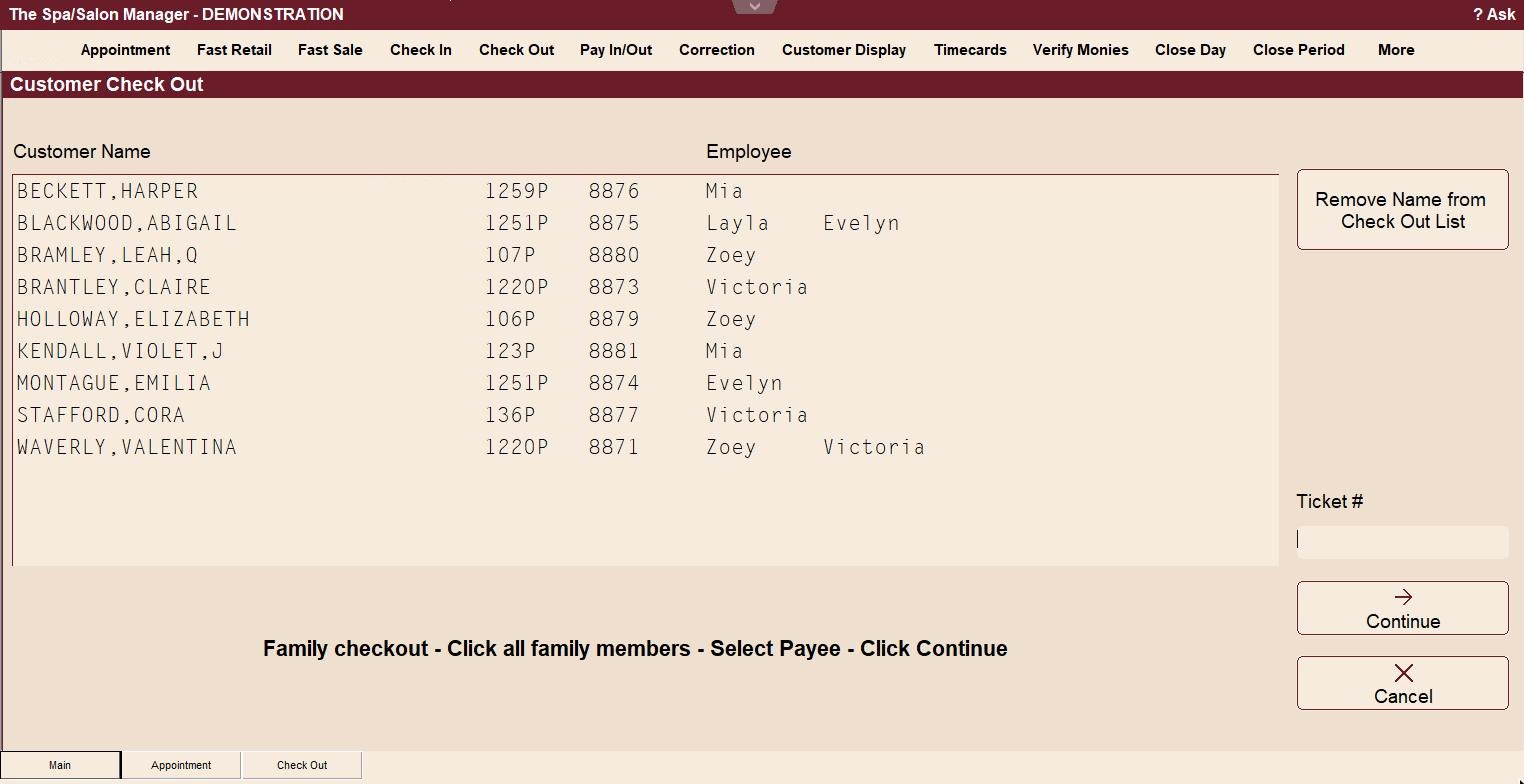
Check Out lists everyone in the salon with their stylist beside each name. Can’t remember who’s in the chair? Just look for the stylist.
- Clients seeing two stylists show both
- Check-in time and ticket number at a glance
- Check out a whole family on one payment
Quick, accurate checkout
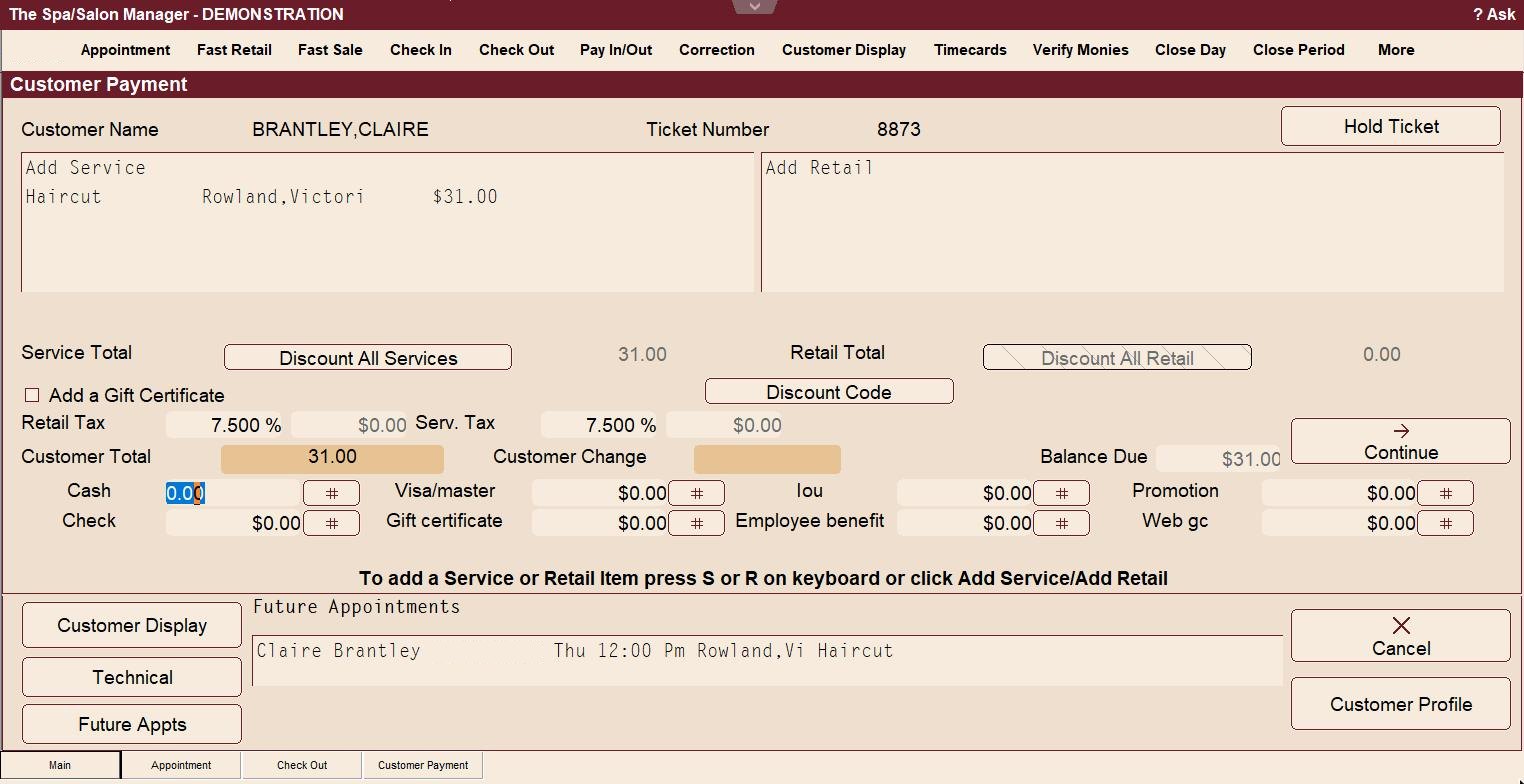
Services and retail on one ticket, with tax calculated for you and every payment type on one screen.
- Cash, check, card and gift certificates together
- Discounts and discount codes when you need them
- Book the next visit before the client leaves
- Run cards right from checkout, tips included
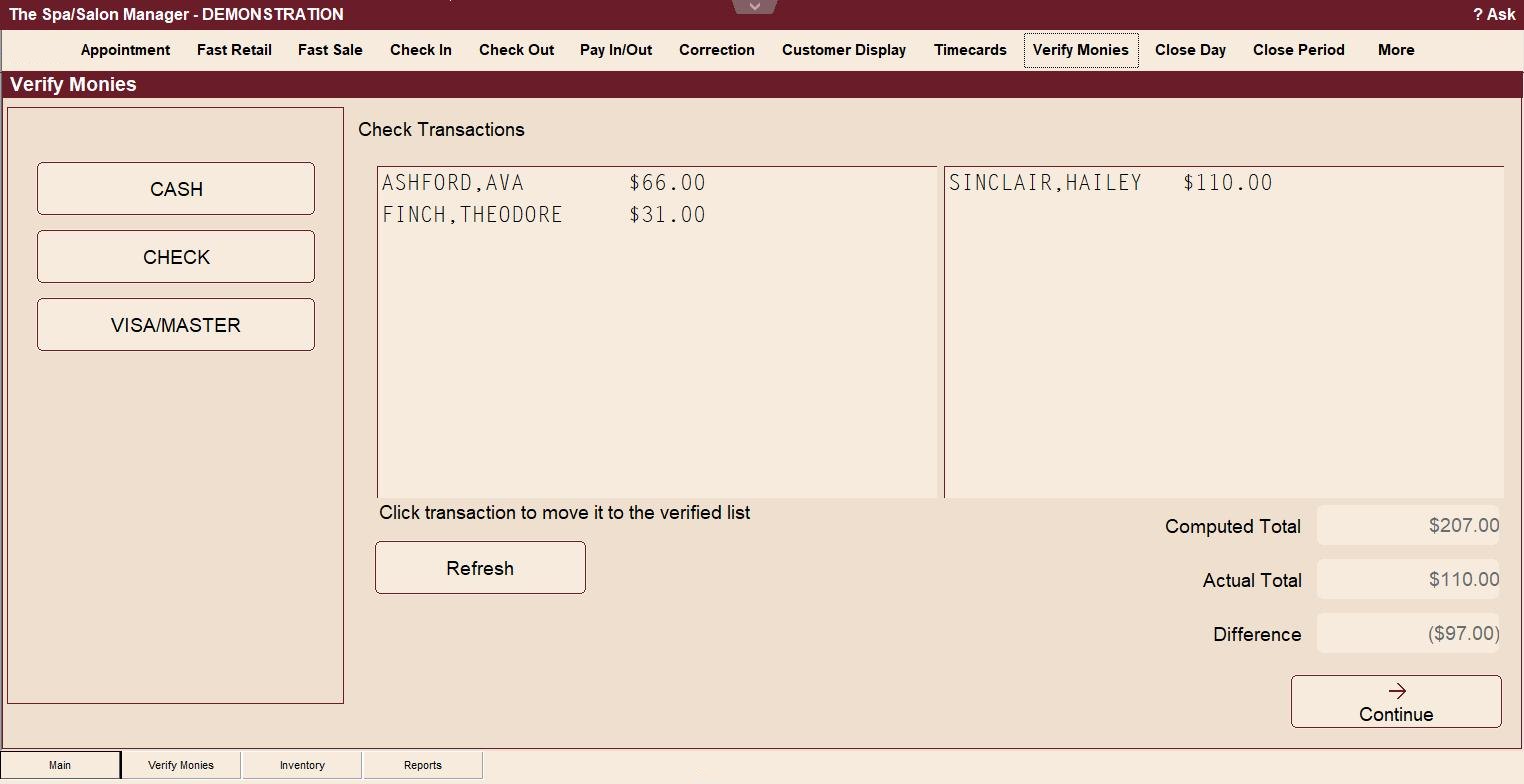
Close out in minutes
Use Verify Monies to keep up with balancing your cash drawer the entire day. By closing time most of the day is already balanced, and the totals carry into Close Day, so nobody is adding up slips at night.
- Cash Helper counts the drawer with you
- Overages and shortages are recorded for you
- It warns you if anyone is still checked in
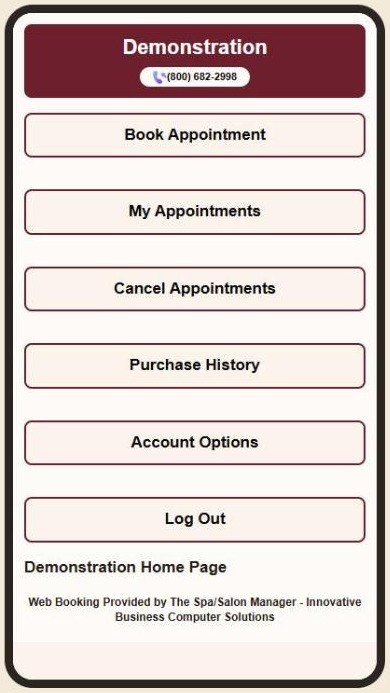
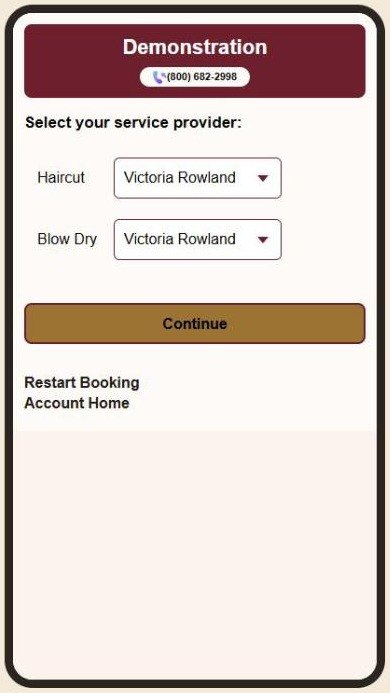
Your clients book from their phone
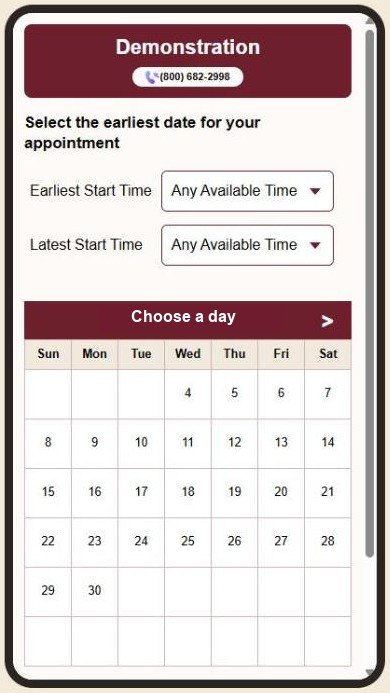
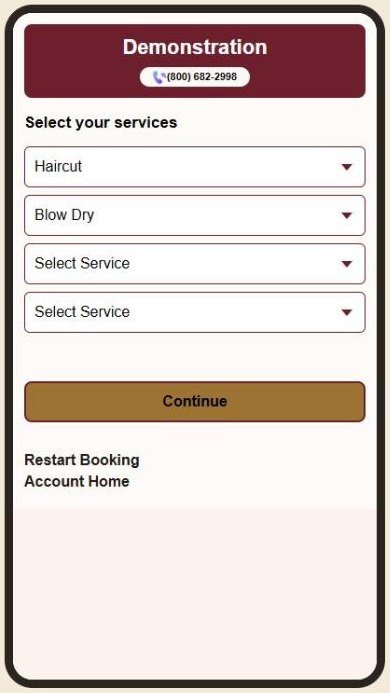
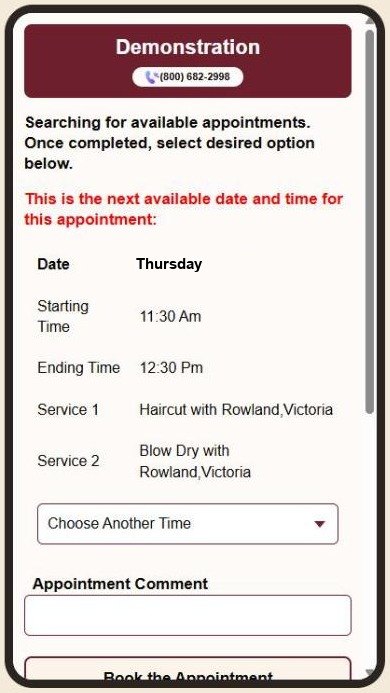
Clients pick their services and stylist, and Spa/Salon Manager finds the next opening for them. Up to four services in one booking, and you can allow more.
- Finds the next available time automatically
- Clients choose their stylist or anyone available
- Your salon’s colors and phone number on every page
Your team’s schedule in their pocket
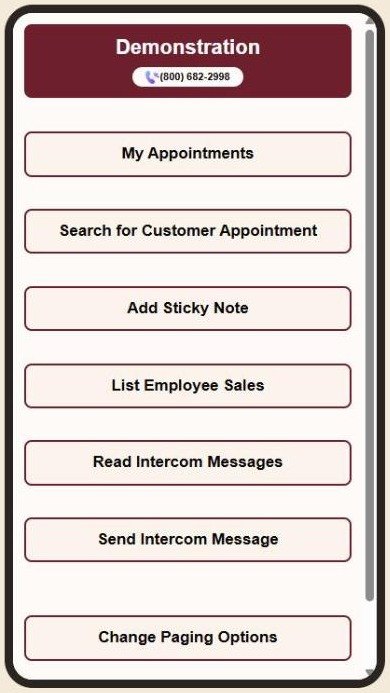
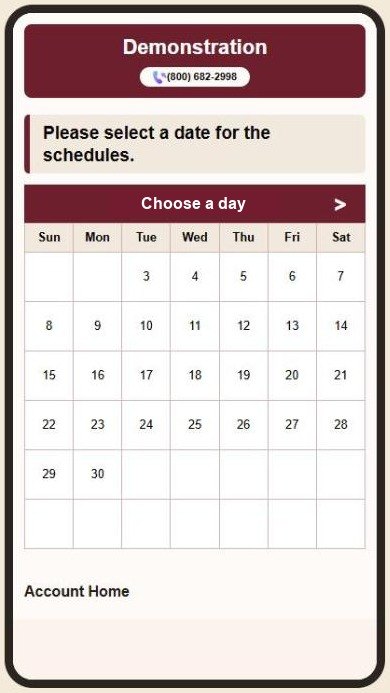
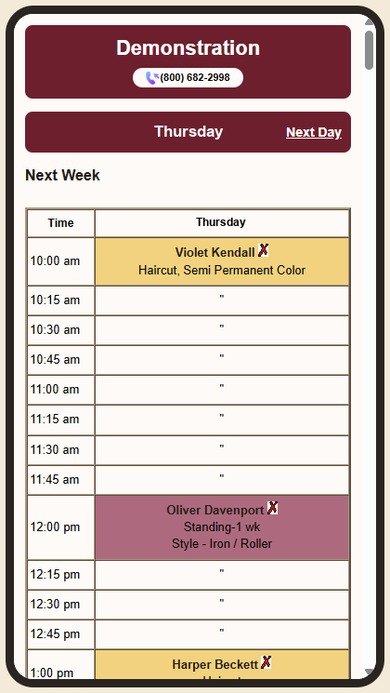
Stylists sign in from their own phone to see their day, in the same colors as your appointment book.
- Today or any day at a glance, every client and service
- Turn the phone sideways to see the whole week
- Look up a client’s appointment, add sticky notes and message the front desk
Ask instead of searching
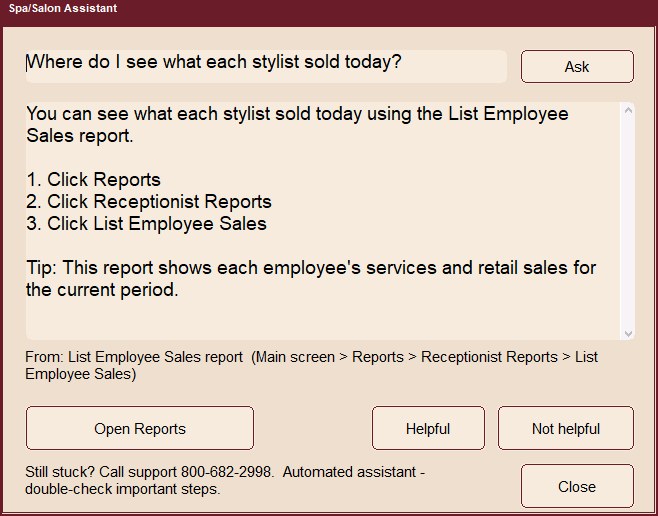
Not sure where something is? Type your question the way you’d ask a coworker. Ask Spa/Salon answers in plain English, shows the steps, and opens the right screen for you.
- “Where do I see what each stylist sold today?”
- “How do I sell a gift certificate?”
- “How do I send a text to my clients?”
Fill a slow day with a flyer
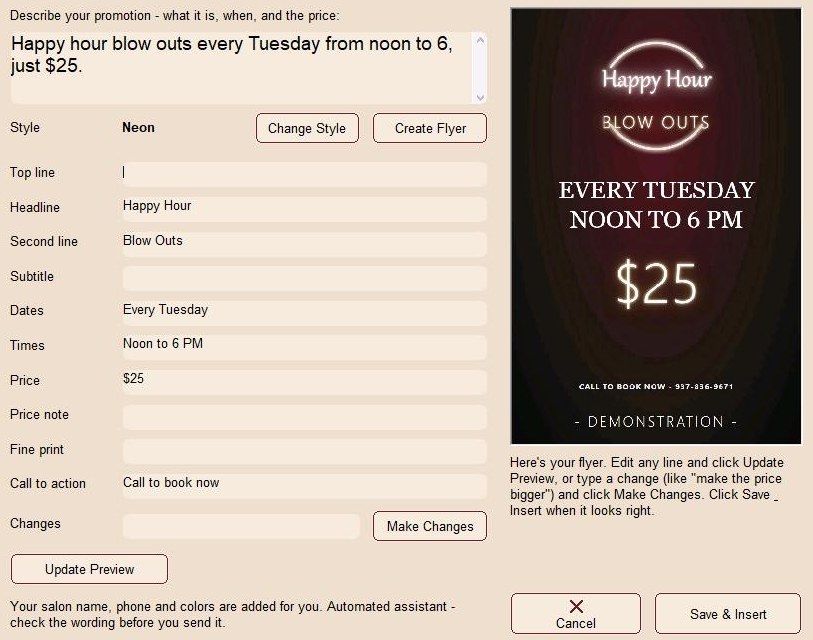
Describe your special in a sentence and pick a style. Spa/Salon fills in the headline, days, times and price, and adds your salon name, phone number and colors. It takes about a minute. Included with Full Salon Management.
- Eight styles, from Neon to Holiday
- Want a change? Type it, like “make the price bigger”
- Email it to your clients or save it for social media
Pick a look, or match your own website
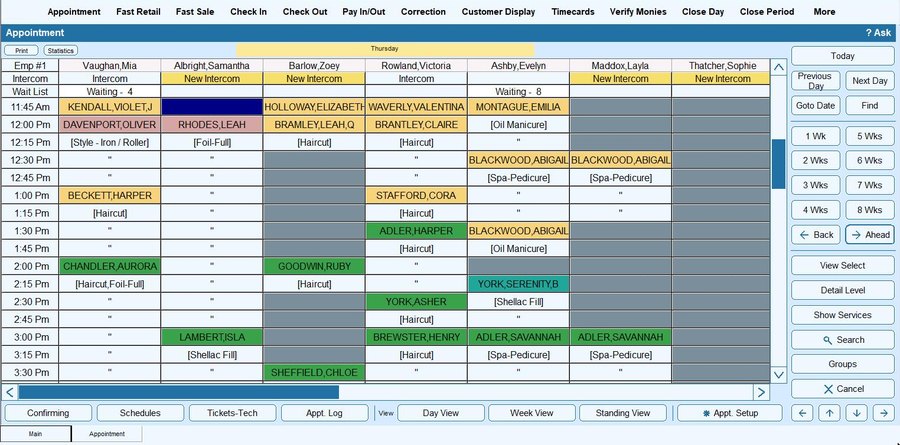
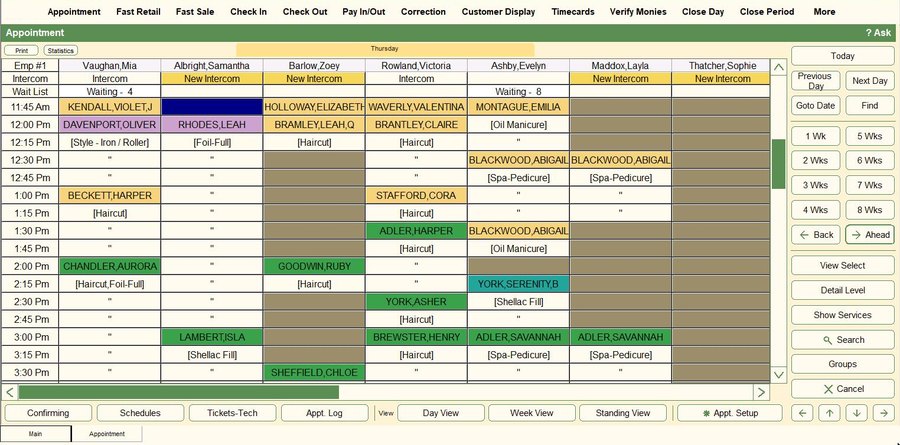
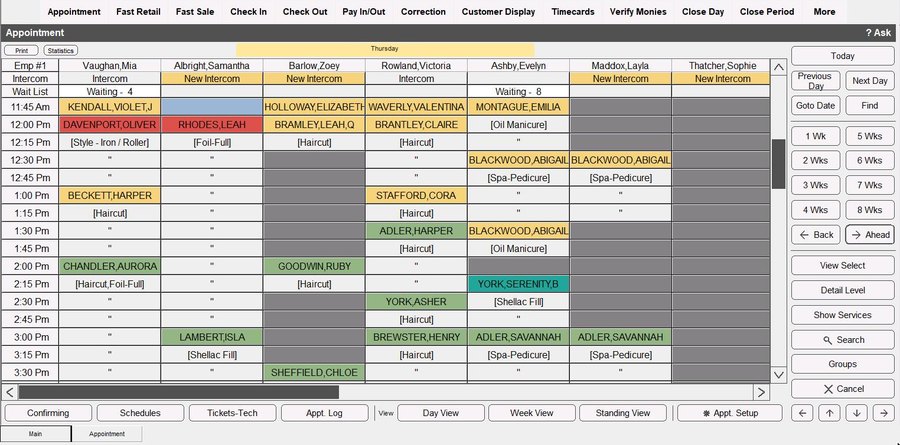
Here’s the same appointment book in four of the looks you can choose in Theme Setup. Or use Match My Website, and it builds a theme from your own website’s colors in one click.
See it with your own salon
Plans from $34.95 a month, with online booking included.
Start your free trial See pricing Book a live demo Prefer to talk it through? Call 800-682-2998.